Visual help guide

Protect your ID
before you share it.

Open an ID image, add a clear purpose watermark, adjust it, and share only the protected copy. The guide below works beautifully on both mobile and desktop.

Original ID From any app
Protected copy Purpose clearly marked
Privacy-first: keep the untouched original private whenever possible.
Six simple steps

How it works

Each image is shown fully inside its card, so nothing is cut off on smaller screens. Tap or click an image to view it larger.

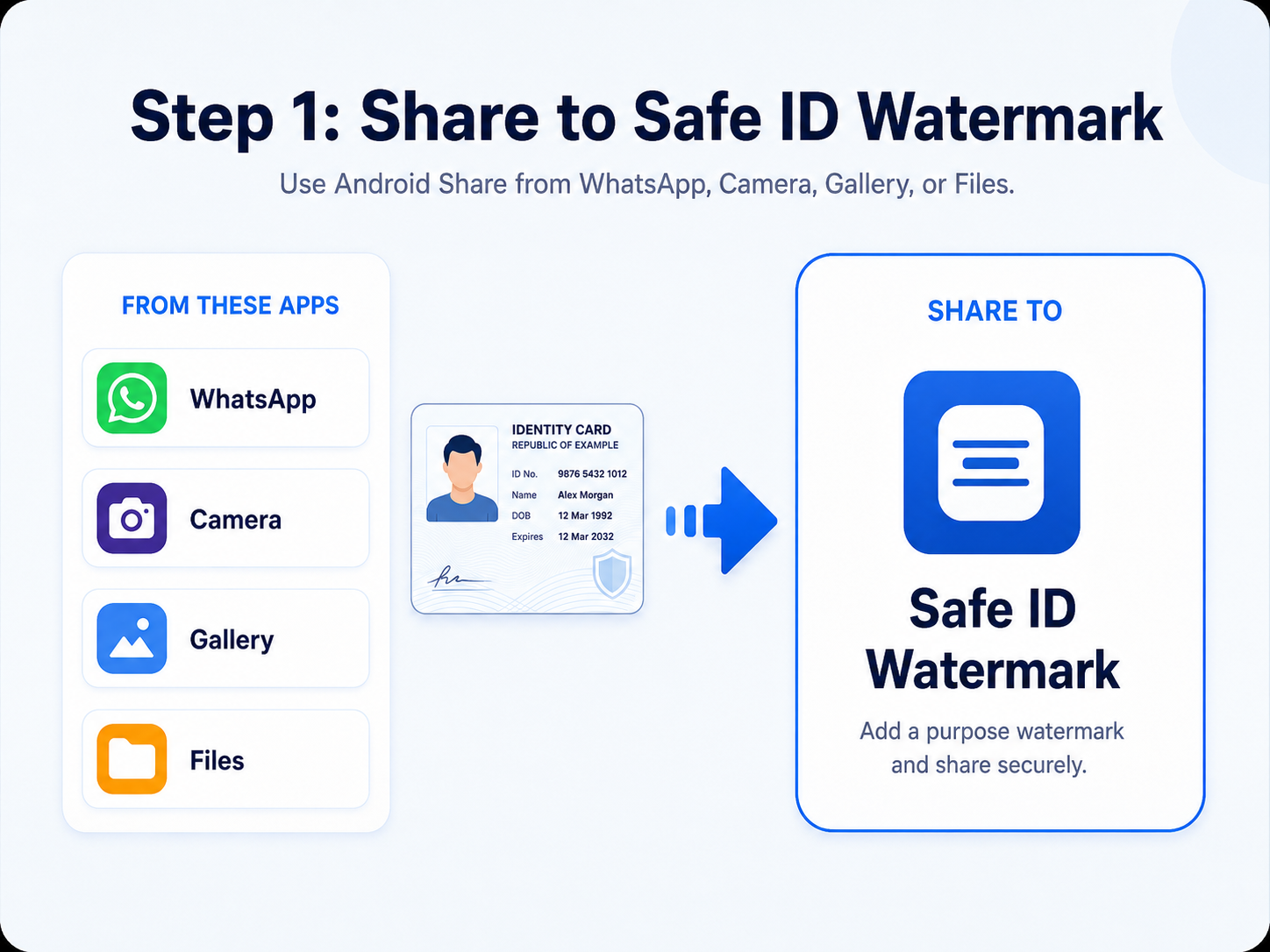
Step 1: Share an ID image to Safe ID Watermark
1 Share into the app

Choose Safe ID Watermark from Android Share

Open your ID image in WhatsApp, Camera, Gallery, Files, or another app. Tap Share, then select Safe ID Watermark.

No need to create several duplicate files first.
Start from whichever app already contains the image.
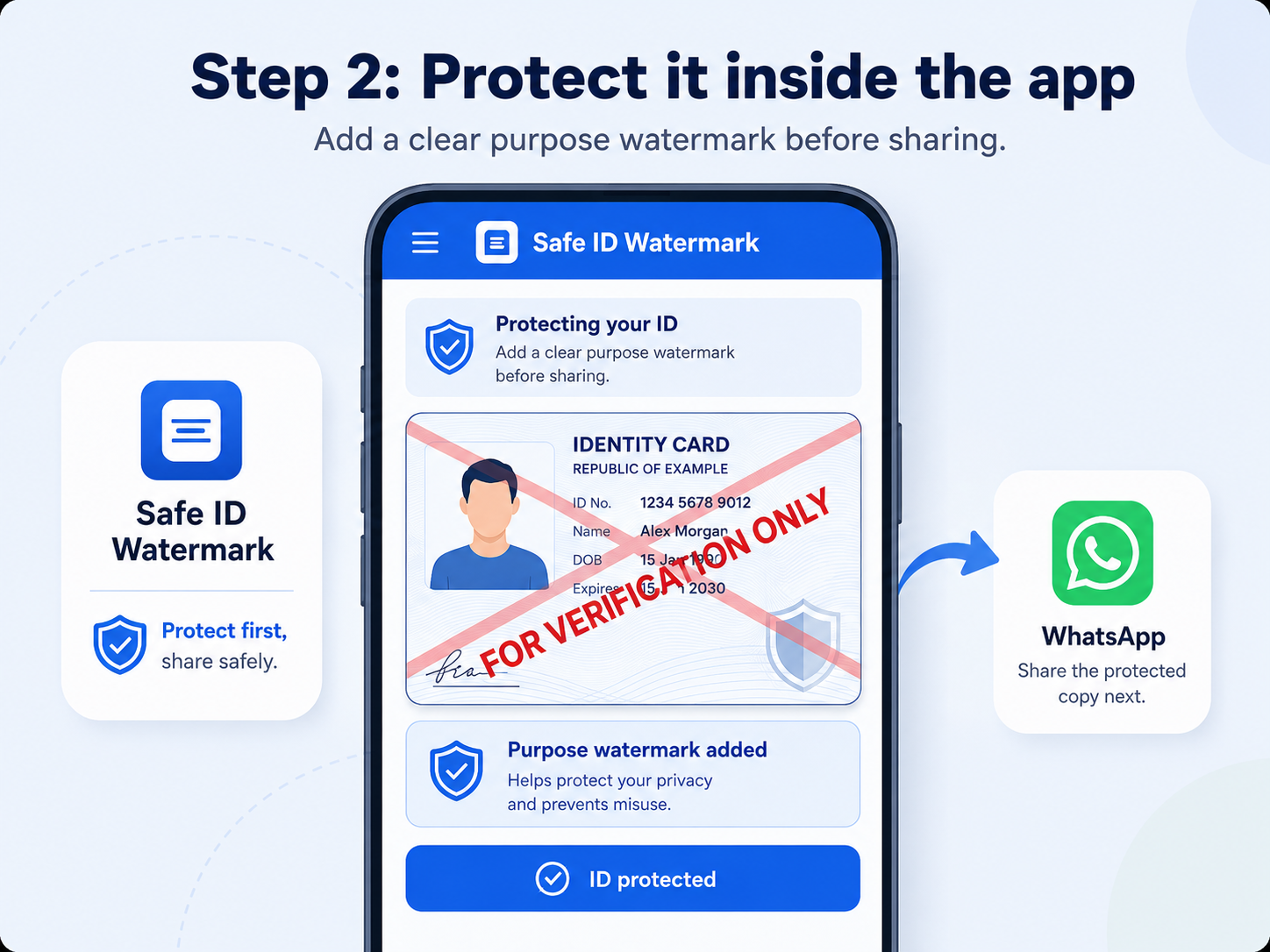
Step 2: Protect the ID inside Safe ID Watermark
2 Protect inside the app

Your ID opens ready for protection

The app displays the selected ID and prepares it for a purpose watermark before anything is shared onward.

Review the correct image before continuing.
Protect first, share second.
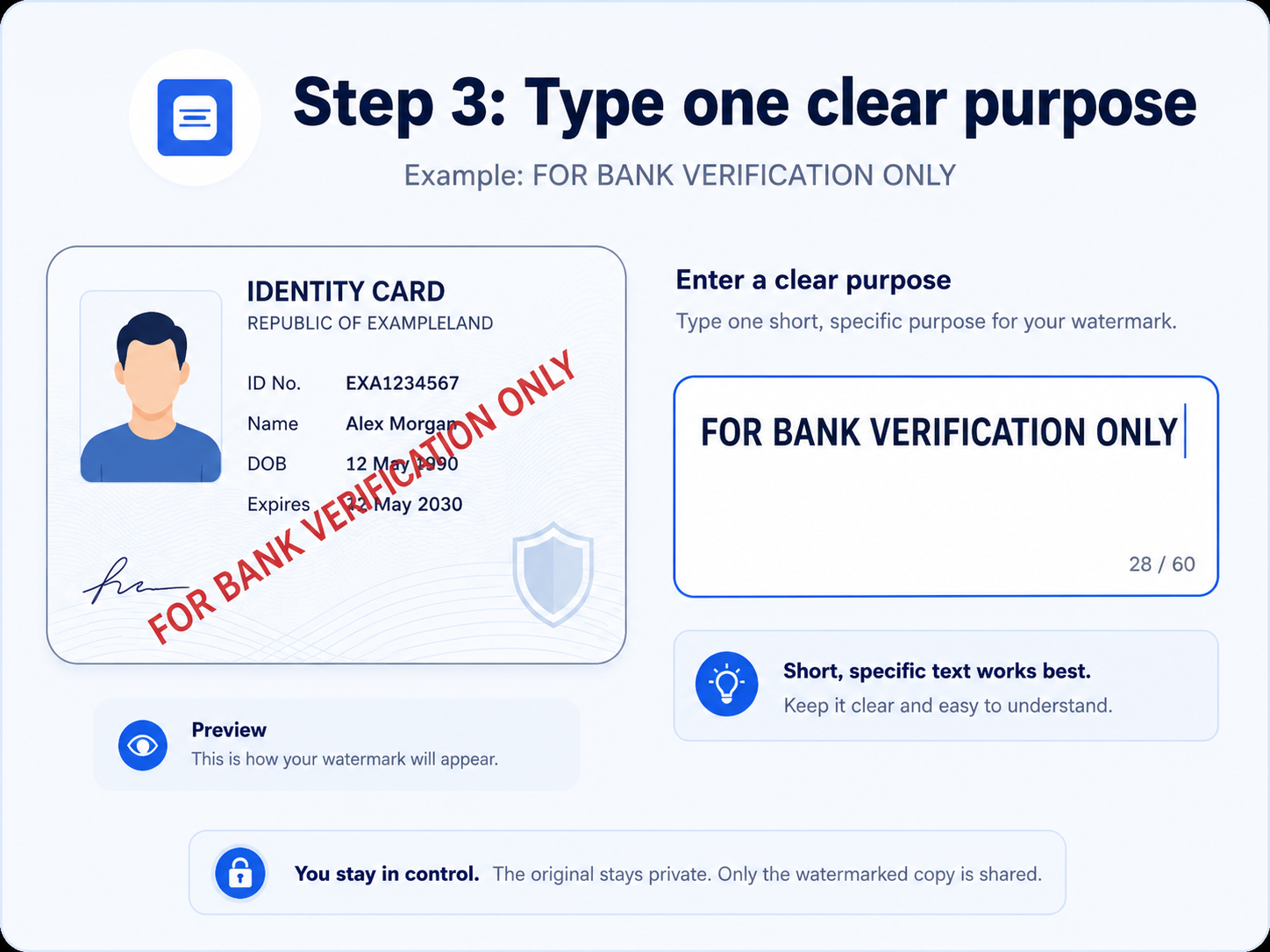
Step 3: Type one clear purpose for the watermark
3 Add the purpose

Type one short, specific reason

Good watermark text clearly explains why the copy was created, such as FOR BANK VERIFICATION ONLY.

Short and specific text is easier to read.
Avoid vague wording such as “for use” or “copy”.
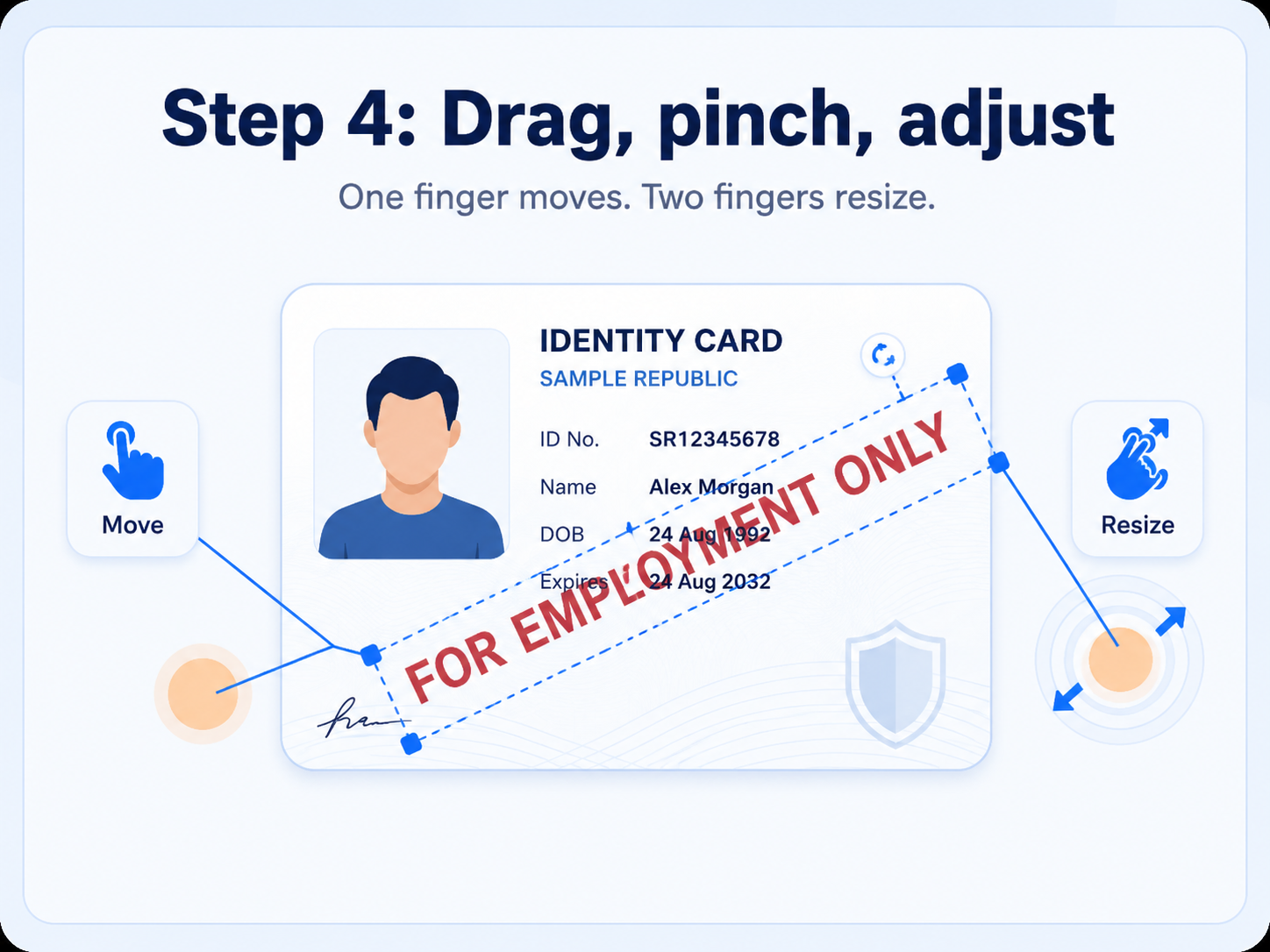
Step 4: Move and resize the watermark
4 Position it clearly

Drag, pinch, and adjust

Use one finger to move the watermark. Use two fingers to resize it until the purpose is clearly visible across the important part of the ID.

Keep the text readable after WhatsApp compression.
Place it over an area where it cannot be easily ignored.
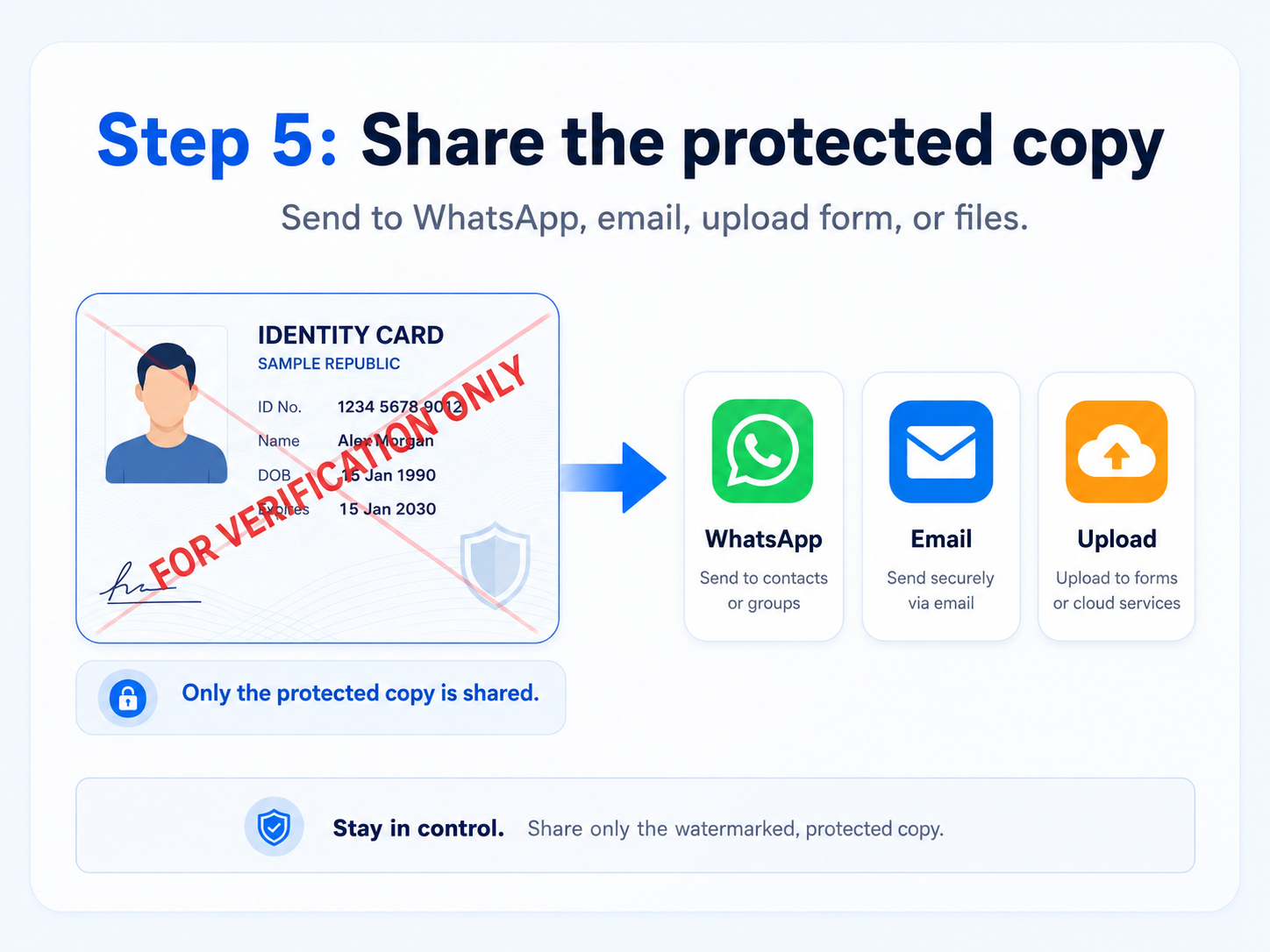
Step 5: Share the protected copy
5 Share safely

Send only the protected copy

Share the watermarked image through WhatsApp, email, upload forms, cloud storage, or Files. Keep the untouched original private whenever possible.

Make sure you are sending the marked copy, not the original.
The purpose line helps discourage reuse for another task.
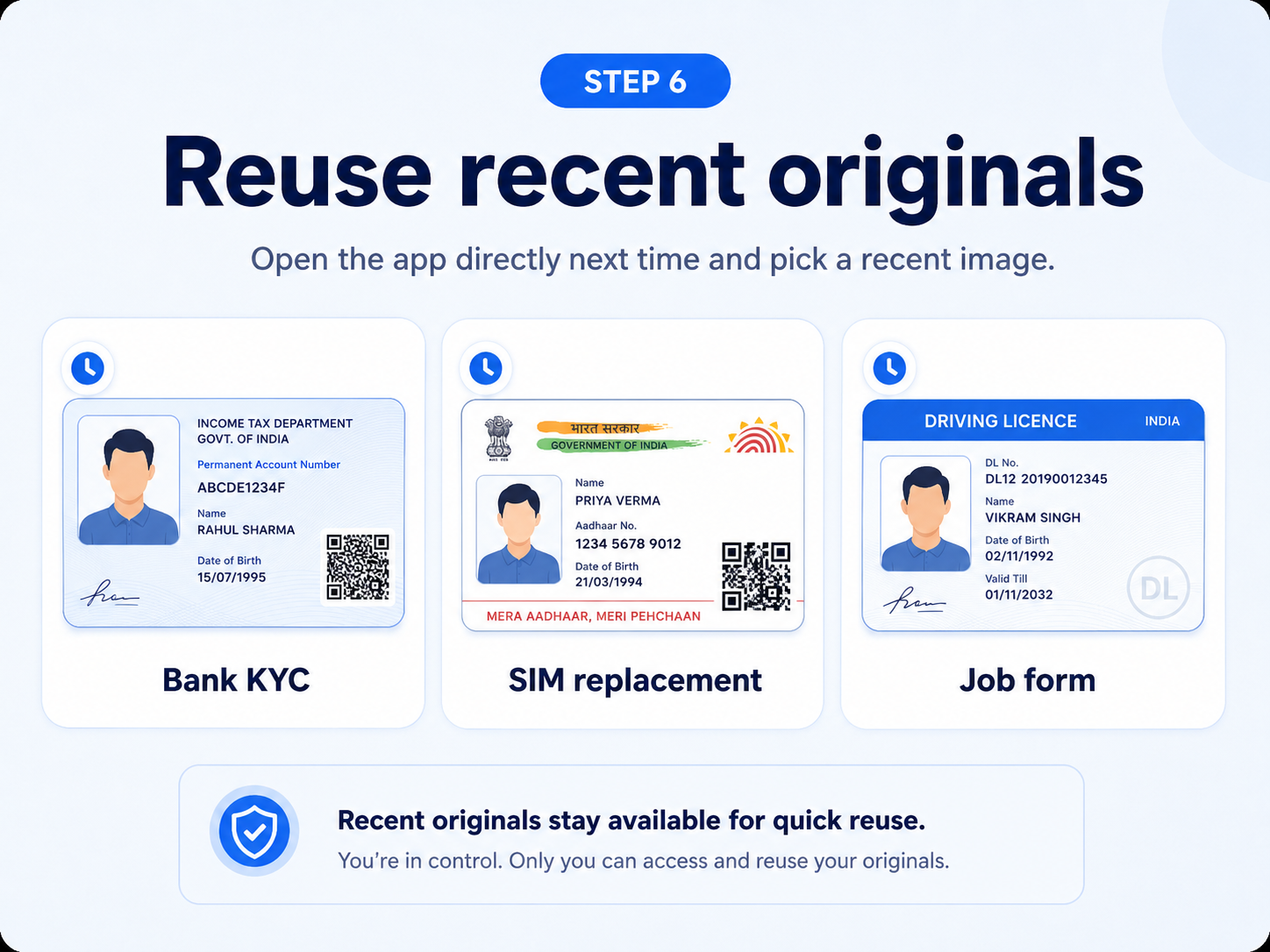
Step 6: Reuse recent originals
6 Reuse next time

Pick a recent original and apply a new purpose

When you need the same document again, open the app directly, choose a recent original, and create a fresh protected copy for the new purpose.

Useful for bank KYC, SIM replacement, job forms, and more.
Use a different watermark for each separate purpose.
Safer sharing

Best practice

A watermark cannot remove every risk, but these simple habits can make shared copies more controlled and clearly purpose-specific.

01

Use a specific purpose

State exactly why the copy is being shared and, where useful, include the organisation name.

02

Keep it clearly visible

Use a size and position that remains readable after compression, upload, or screenshotting.

03

Check before sending

Pause for a moment and confirm the selected image is the protected copy, not the original.

04

Create a fresh copy per use

Do not reuse an old purpose watermark for a different bank, employer, account, or request.

!
Important privacy reminderA watermark helps communicate and limit the intended use, but only share an ID when it is genuinely required and with a trusted recipient.

Good watermark examples

Keep the sentence short, direct, and tied to one purpose.

FOR BANK KYC ONLY FOR BANK VERIFICATION ONLY FOR SIM REPLACEMENT ONLY FOR JOB APPLICATION ONLY FOR ACCOUNT OPENING ONLY FOR [COMPANY NAME] ONLY